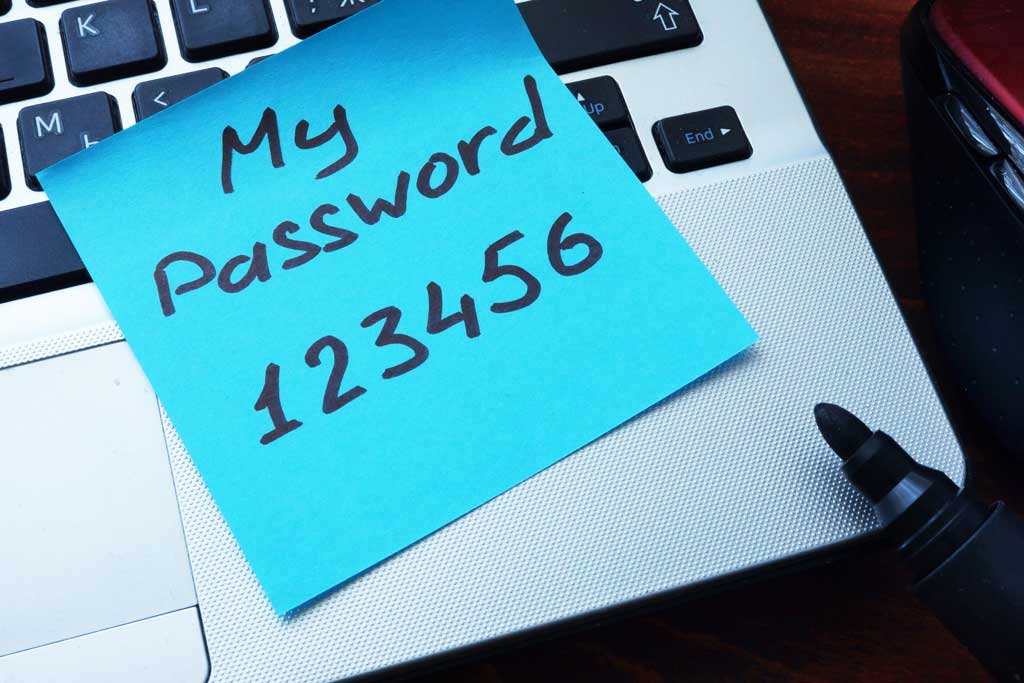
You won’t believe the passwords that some people STILL use.
Microsoft has finally put its foot down—even though most people won’t even know it unless they start to create a dumb password.
In May 2016, Microsoft started using a system that would reject password requests—when opening a new account or creating a new password—that had a high likelihood of being guessed, hacked or stolen.
And maybe Microsoft is too polite to say it, but what they also meant was they’d reject passwords that were too dumb to believe.
Microsoft, which has millions of customers who have various types of online accounts, stay on top of the news of network hacks and breaches. Over the years they have collected a trove of information on the passwords most broken—which oftentimes are also the passwords most commonly used by us.
So, Microsoft decided to help lessen the chances of being a hack attack victim by, at a minimum, not allowing them to create bad/dumb/simple/are-you-kidding me? passwords. They created a list of the passwords that have been breached too often and that people shouldn’t be using any more.
Better than that, when a customer starts creating a new Microsoft password, they “reject” password list will be in the background, declining a bad request.
The bad-password master list will be continually updated based on new insights…probably from passwords that were hacked.
Yes, dumb passwords are still a problem.
But, security experts say, at least we’re getting better—as a whole—when it comes to creating good, not easy-to-break, passwords. Why the improvement? Perhaps it’s all the news of several million-customer hacks (and password thefts) on websites like LinkedIn and Yahoo to get everyone’s attention.
You may find this hard to believe, but over the past few years, the two most used passwords ever have remained at the top of the list:
- 12345
- password
It’s not only weak passwords that’s a problem. It is also bad password management.
Password protected.
Go down this list of questions and see if you’re “violating” some of the most basic password (and password usage) rules. If so, you’re limiting your protection on line:
- You don’t change your passwords very often (at least once every six months)
- You use the same password for different accounts (Facebook, email, banking)
- You use the same few passwords for many accounts
- You use derivations of the same password. Example: MaryJo123 and MaryJo333.
- You use basic words, such as “dawn” or “sundown”
- You use words that relate to your “likes”: music, Beatles, Yankees.
If you answered “yes” to a few of these habits, at least you should know that you’re not alone.
Most people follow old habitual patterns when they update passwords, and they fall into the same type of routine when creating new ones.
And that’s what hackers count on.
Where would you hide the front-door key?
Hackers are attacking ten million accounts every day, according to Microsoft. If those hackers aren’t stopped or at least slowed by tough passwords, they WILL increase their attacks.
Imagine for a second you need to provide a key to your home so your neighbor could feed your cat—where would you put it? Think to yourself the most obvious (and worst) place to hide it might be—one where the neighborhood thief would look, if he came prowling around? Here are the bad choices:
- Under that Welcome mat
- Under a flower pot
- On top of the door sill
- In the fake rock next to the real rock
That’s how you need to look at your passwords. Are yours too easy to discover by someone who might try to find the passwords to your accounts and your personal affairs online?
Someone IS out to get your password!
A few years ago LinkedIn suffered a major hack attack and millions of usernames and passwords were stolen and eventually released on the Internet. A look at those passwords revealed to many that security experts labeled, with no apologies, the dumbest passwords a person can use:
- Password. It showed up often. And guess what. It has STILL been the most used password (#1) for the past five years.
- 12345. Yeah. People just key that in as a password. Maybe they’re using reverse psychology. Nobody would expect anyone to use that as a password!
- QWERTY. (The top row of letters on a computer keyboard.). It’s a common password (along with other keyboard strings), but it’s not so clever as people might think—especially if a lot of people are still reverting to it.
- Username. We don’t mean “username”; but rather simple repeating the username for that account as your password.
- The user’s name for username and password. People should get a bonus for this one. The LinkedIn hack revealed that folks named “Charlie,” “Maggie,” and “Michael” (and probably others) used their names for both, their username and passwords.
Yup. Not very imaginative nor cybersmart.
A final few (pass)words on the topic.
Here are a few more of the most popular passwords that people use.
Keep in mind, this isn’t a list of the worst passwords: it’s a list of the most commonly used ones.
Because they’re so prevalent, hackers can, with relative ease, use automation to crack into any account that uses one, or even a variation of it.
- Football
- Baseball
- Welcome
- Sunshine
- Master
- Monkey
- Dragon
- Letmein
- Login
- Princess
- Solo
- Starwars
The point of this whole article.
Most likely, you’re in a routine and maybe one day your weaker passwords will be cracked by a hacker program.
That’s preventable.
Change your passwords!