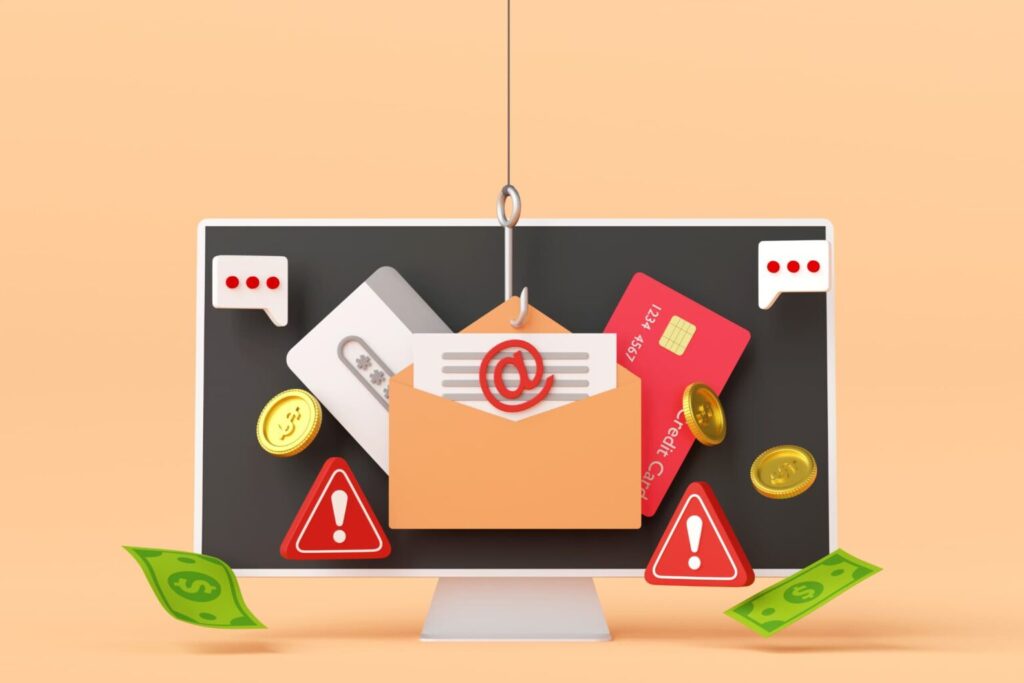
Have you ever come across an ad online, started to click on its link, and then realize something seems … a bit off? As cybercriminals become increasingly sophisticated and more brazen, Internet phishing schemes masked as legitimate links can fool even the most tech savvy among us.
Bad online actors may reel us in through bogus ads for real products, breach our cybersecurity protection, and steal our personal data. How can you avoid these schemes and protect yourself?
Here’s how you can spot fake ads online, and how you can protect yourself from falling victim to their nefarious ways.
What is a fake online ad?
Fake product or website ads online are a relatively new form of cybersecurity threat, made possible by image tools like Canva and the rapid evolution of AI. These ads can crop up in your social media feeds, as pop-ups on websites that you visit, and even occasionally worm their way into search results.
Bogus digital ads will masquerade as products from industry leaders and well-known brands, and include malicious links for you to follow. These links may take you to a fake website or sign-in page that will resemble a verified site such as Amazon or FedEx. They’re set-up to create a siphon of en masse personal data from numerous users.
Although cybercriminals may use this technique to use your personal information themselves, they often sell collected data on the dark web to turn a quick profit.

How fake ads work
Even the largest websites, tech companies, and social media platforms are vulnerable to fake digital ads. Cybercriminals steal brand names, logos, website formats, and even similar domain names to pose as legitimate companies. These fraudsters may bypass Google verifications and bid on keywords to appear in search results.
Although Google has taken measures to prevent fake ads from ranking in online search results, scammers still find ways to take advantage of the system. Hackers may use fake ads in the following ways:
- Malvertising malware: A fake ad may use an attack known as malvertising. This type of attack includes malicious embedded code that will automatically flood a user’s system with malware via an initial click on the bogus advertisement.
- Phishing scams: A fake ad with the intent of carrying out a phishing scam will direct a user to a sign-up link or an email with the intention of stealing their personal information
- Ransomware malvertising: Ransomware can also be integrated into embedded code in a fake ad. Although the most infamous ransomware cyberattacks have targeted corporations, utilities, and government organizations, ransomware can infect the operating system (OS) of a single user, too.
This will cause your system to lock, and the hackers will demand payment for OS recovery.
Fake ad risks for businesses
Fake ads aren’t just detrimental for Internet users, they can cause great harm to the businesses they impersonate, too. Some of the ways fake ads can negatively impact online businesses include:
- Brand or reputation damage: If enough fake ads choke out real advertising for a brand, this may reflect poorly on the legitimacy of the brand. This is especially true for smaller businesses that are the targets of a fake ad scheme.
- Loss of revenue: Consumers who believe they’re purchasing a product from a legitimate website but have really fallen prey to a fake ad scam may take their anger out on the credible brand and choose to spend their money elsewhere.
- Erosion of consumer trust: In conjunction with revenue loss, consumer trust in a brand may erode as a result of fake ads. Even if people can logically detach a data breach or malware from a credible brand, they may still associate the brand with the cyberattacks they’ve experienced.
- Cybersecurity risks: A brand impersonated in a fake ad may find that they’ve experienced credential theft, and their confidential databases may be at risk.
Examples of fake ad cyberattacks
Fake ad attacks are often sophisticated and well orchestrated. There may already be inflicted damage and havoc wreaked before a brand can report the ads or mitigate the negative consequences.
Some of the most common examples of fake ad attacks include:
- Fake software update notifications from Adobe, Apple, and Google that require “immediate attention”
- Fake cybersecurity threat notifications: These are particularly malicious fake ads, as they alert users to take quick action for protection against malware… while downloading malware to the user’s device.
- Prize notifications: Click here to claim your prize seems like a dead giveaway, but when these ads pose as if they come from a reputable site, many people may fall for them
- VPN error alerts: This fake ad prompts users to reinstall their VPN and then illegally tracks their online activity and steals their personal information
- Tech support scams: These ads create a “system alert” and pose as tech support from reputable brands, and claim a user’s device is infected with a virus
How to detect fake ads
Although fake online ads have increased in sophistication, there are still ways you can spot them and avoid their malevolent ways. Some of the signs an online ad is fake include:
- Huge, alluring overpromises: If you spot an ad that promises huge rewards, if only you “click here,” chances are, it’s a fake. For example, an unknown brand with a pop-up “act now” ad that promises 75% off, or, the solution to all of your cybersecurity problems, is probably a phishing scheme or a way to flood your device with malware.
- Domain name issues: You can hover over the domain name and address in your search bar. If an ad promising Amazon savings comes from the domain, amazons.org, it’s a fake. Google, or your built-in firewall protection will warn you if a site isn’t secure, and if the website an ad directs you to doesn’t begin with https://, it’s bogus.
- Demand of credit card information: If an ad prompts you to enter your payment information before you’ve purchased anything or created a secure account, you should avoid the website and block it from your feed.
- Random follows on social media: If a brand begins to follow you on Instagram or X, the platform formerly known as Twitter, and floods your inbox with ads, block the account. The website it connects you to is most likely fake, and whatever you do… Don’t. Click. The. Link.
- Turned off comments: Fake Facebook ads are especially notorious for turning off the ability to comment. A post promoting a product that doesn’t allow comments is a huge red flag.
How to protect yourself from fake ads
Fake ads not only put your personal cybersecurity at risk, they can also threaten your business. If a fake website poses as your brand, it can divert traffic from your site and damage your business reputation.
Thus, now that you know how to spot fake ads online, it’s important to understand how you can protect yourself, and your business, from malicious actors. Here are some steps you can take to avoid potential harm from these ads:
- Visit an official website: If you see an ad from a brand you recognize, rather than clicking on the ad, directly visit the official website. Similarly, on any online ads for your business, suggest that potential consumers directly visit your website.
- Utilize up-to-date cybersecurity software: You should ensure that your personal and professional devices consistently install cybersecurity and antivirus software updates. Most security packages include alerts for fake or malicious websites.
- Never give away your personal information before authentication: Whether you’re making a personal online purchase, or a bulk purchase for your business, guarantee that you’re directly visiting an official website that requires an account for purchase, and set up two-factor authentication.
You can find useful cybersecurity tools on the What Is My IP Address homepage. and check out our blog for the latest in cybersecurity insights, tips, and trends.