Having access to the internet has become so common now that it’s considered a basic human right by many. But that doesn’t mean setting up and maintaining a home network is easy. Home networks can’t work without specific network devices, which you probably have at least some awareness of. If you have internet access at home, you most likely have a modem and you probably have a router too. If you use a lot of devices on your network, then you may even have a switch.
What do all these devices do, exactly, and how can you tell them apart? More importantly, what do you need to do to keep your network devices at home secure against hackers and cyber threats?
Let’s look at modems, routers, and switches individually, so you get a better understanding of each one.
But first…the OSI Reference Model
It’ll be much easier to understand how modems, routers, and switches work together if you understand the OSI Reference Model.
The O-what, now?
OSI stands for Open Systems Interconnection. It’s a system that was developed in 1984 to standardize how information flows through a network. You see, modems, routers, and switches are network devices, and they all fit at different layers of a network or group of networks.
So why do we need a standardized model for networks?
Lots of companies make different network devices, and if we want them all to be able to work together, we need one model for them to work with. That way, you don’t have to get all of your network gear from the same manufacturer. And so we have the OSI Reference Model.
Here’s a table showing the seven layers of the OSI Reference Model and where modems, routers, and switches fit:
| Layer | Layer Type | Device |
| 1 | Physical | |
| 2 | Data-Link | Modem; Switch |
| 3 | Network | Router |
| 4 | Transport | |
| 5 | Session | |
| 6 | Presentation | |
| 7 | Application |
If the above table doesn’t help you make much sense of how modems, routers, and switches work, don’t worry. We’ll go through each in more detail.
What is a Modem?
A modem is a device that provides network access to the internet. Typically, your internet service provider (ISP) gives you a modem to place in your home so you can connect your computers and devices to the web. The connection goes through your ISP.
Think of a modem as the link between an internal network and the external internet. There are different types of modems. Older modems, the ones that made those horrible high-pitched noises, connected to telephone lines. Other modems connect to cable lines, fiber optic lines, satellites, or have other access methods.
What is a Router?
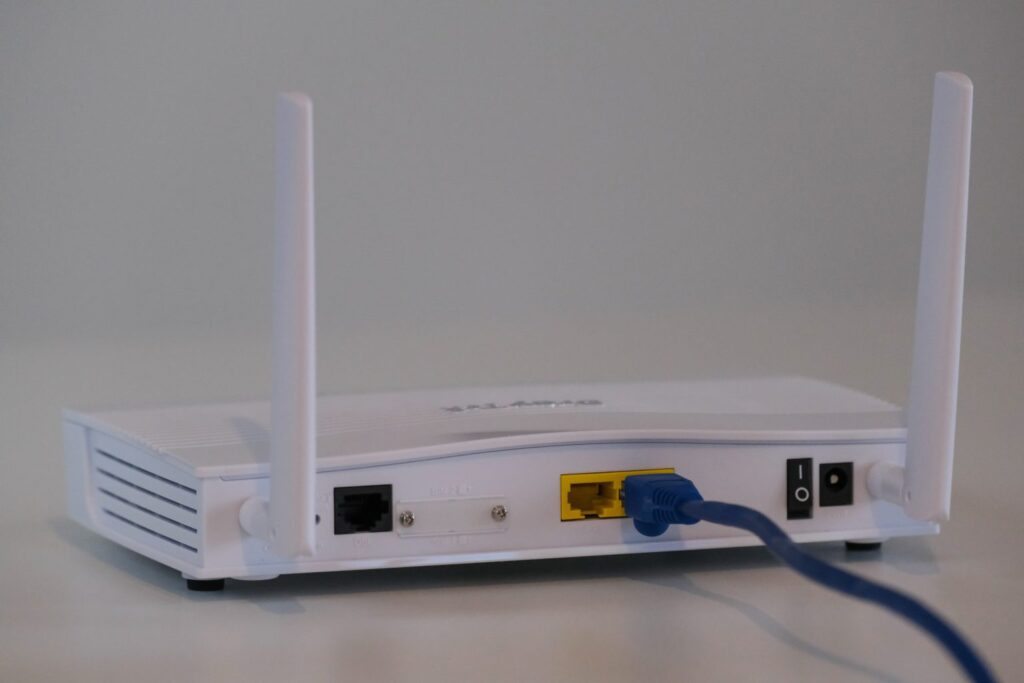
People often confuse modems and routers because they look similar and usually sit near each other in home network setups. In some cases, they are combined in the same device. They do not have the same function, however.
A modem simply establishes a connection between your home’s network and your ISP, so you can access the internet. A router, on the other hand, helps your home’s network communicate with the ISP’s network.
Routers create what is called a local area network (LAN). In other words, it lets you connect more than one device to the modem. If you have, say, a gaming console and a computer you would like to connect to the web, you need a router and a modem to do so. If you want Wi-Fi access in your home, you will also need a router.
Routers can transmit data through different networks, but a router alone cannot connect to the internet. For that, you need a modem and a router.
What is a Switch?
Routers are full of ports, which you can connect multiple devices to in order to access the internet. If you have an ethernet cable, for instance, you can plug one end into your computer and the other into your router, and just like that, you have a wired network.
Where does a switch come in? Switches provide additional ports so you can connect more devices to your router. They’re mostly for large computer networks that connect many computers to a single LAN.
A switch is sort of like a power strip. You can plug multiple things into a power strip to provide each one with electricity. A switch works the same way, but it doesn’t provide power; it provides network access.
Modems, routers, and switches: Do you need all three?
Now that you know what modems, routers, and switches do, you might wonder if you need all three devices in your home. Here’s the easy way to understand it:
- If you want access to the internet in your home, you need a modem.
- If you want wired or wireless access to the internet for more than one device in your home, you also need a router.
- If you have dozens of devices (multiple computers, printers, phones, etc.) that need access to the internet on the same network, then you need a modem, router, and a switch.
As you can imagine, typical home networks don’t really need switches. Most households only need to connect a handful of devices to the internet. Switches are useful for businesses, however, because they provide internet access to many devices and allow those devices to communicate with each other without the need for dozens of routers.
What about Gateways?
Just to make things more complex, let’s throw a fourth device into the mix — a gateway. Gateways aren’t really a fourth device, they’re simply a router and modem sitting together in the same piece of hardware. The appeal of gateways is that you have one less box sitting on your desk and fewer cables to plug in.
So, should you get a gateway instead of a separate router and modem?
Gateways have some advantages. It’s easier and quicker to set up your home network with a gateway. It also typically comes from an ISP, so you may have customer support or extra features.
The downsides of gateways are that they are difficult to upgrade, diagnose, or repair. Also, if you need to replace a gateway, it’s usually more expensive than if you have an individual modem and router. Gateways also tend to be less secure.
For the most part, you’re better off having a separate modem and router for your home network. Gateways can be convenient, but they’re not always worth the trouble.
Potential security risks for modems, routers, and switches
Modems, routers, and switches are network devices, so they help you connect to the internet, which is really just a large system of other computers and devices. As we all know, any time you access the internet, you take a cybersecurity risk. It may be a small risk and you may have plenty of safeguards in place, but you’ll always be in more danger of a cyber attack when connected to the internet than when you’re not.
It’s only natural, then, that modems, routers, and switches come with security concerns.
The first concern is with your modem. While technically, you could get online with just one computer and a modem, but it’s not advised. A modem shows the IP address on your computer, which makes it easier for hackers and bots to identify you.
Ideally, use a modem and router together. The router modifies your IP address before sending out data to the internet, making you just a little safer. Make no mistake, though, your router comes with plenty of other security concerns you should be aware of.
Router security issues and how to prevent them
- Passwords: Routers often come with default usernames and passwords set by the ISP that are well known to hackers. That makes it simple for them to breach your home network. Change your router’s password as soon as you get it set up and then keep changing it every few months.
- Default network name (SSID): Just as the router comes with a default password, it will also come with a default name. ISPs and router manufacturers use the same naming conventions, so change your network’s name to throw off hackers.
- Wi-Fi encryption: If you haven’t already, go into your router’s settings and enable WPA2. It’s the strongest encryption method currently available for home networks. WPA3, as the name implies, is better, but WPA3 isn’t as widely available.
- Universal Plug ’n Play: UPnP lets smart devices like a thermostat or television connect to your home network for automatic firmware updates. As most smart devices are not password protected, activating UPnP on routers is not advised.
- Wi-Fi Protected Setup (WPS): WPS lets users enter an eight-digit PIN printed on the router rather than enter the network password to gain access. Anyone who comes into your house and sees this PIN can have access to your home network pretty much forever. If possible, disable WPS on your router.
Keep Your Home Network Devices Safe
Modems, routers, and switches make accessing the internet possible and more convenient. They’ve become staples of the modern home, so even if you weren’t sure what they were called before reading this, you’ve most likely seen or owned a modem and router before. By understanding how these devices work, you can take steps to keep them and your home network safe.