Although unheard of 25 years ago, we now collectively depend on our smartphones. Americans use smartphones to make and receive fewer than five calls per day, but we still spend a daily average of 4.5 hours on our phones.
We religiously use our smart devices to access texts, GPS directions, photos, restaurant reviews, social media, video streaming, and email.
When our phones break or are damaged, we feel lost and hopeless, as if we’ve lost connection with the rest of the world. If our smartphones get wet, we wonder if they’re damaged beyond repair. Who wants to fork over thousands of dollars for a new phone as a result of a rain storm?
The earliest versions of smartphones could be submerged in a bowl of uncooked rice to dry, and emerge as if wet conditions never occurred. But how do we fix a wet smartphone today? Is there a difference between repairing a wet iPhone and a wet Android?
Let’s take a look.
Why moisture can damage your smartphone
The cost of smartphones continues to increase because of the intricate, pocket-sized software and hardware that each handheld device carries. When your phone gets wet, its functionality can stop. Moisture can irreparably damage your phone’s memory and impact its internal circuitry.
If you continue to use your phone after water damage, you may lose access to your secure files that haven’t been backed up to a cloud server. Even if your smartphone has waterproof protection, enough moisture exposure can still cause significant damage.
How a smartphone can get wet
Even though you may avoid throwing your phone in the ocean and have never accidentally washed it with your laundry, the risk of water damage still looms. Here are some of the less severe ways your smartphone can get too wet:
- Steam from a hot shower or sauna: You may find that the moisture warning light on your phone switches on even if it isn’t wet. For instance, the moisture from a steaming shower can impact a phone sitting safely on your bathroom counter.
- Drops of water: Moisture detection can occur if your phone is exposed to rain or snow. For example, if your phone is in your unzipped coat pocket as you clear your car of snow, the slightest amount of snow can clog your charging port and damage your phone.
- Condensation from a drink: If you place your phone too close to a cold drink, the condensation that forms as the drink warms could prove detrimental to your phone’s functionality.

Moisture warning signs on a phone
Most phones have a built-in moisture sensor to warn you if your phone gets wet. This sensor is in place to prevent you from causing further damage to a wet phone, and to help protect you against safety risks.
If your smartphone alerts you to moisture, it’s vital that you stop using your phone immediately and turn it off. The sensor may turn off on its own, and if it doesn’t, check your USB port to ensure it hasn’t gotten wet.
What happens if you try to use a wet phone
If you try to use your smartphone when it’s wet, you may find it won’t work properly. Here are several warning signs that your phone is wet and needs to be dried before you can use it again:
- Inability to charge: If you’re using a USB charger, your wet phone won’t keep a charge. If your moisture detector alerts you to an issue, your phone will immediately block charging as a safety precaution. Although wireless chargers may still work with a wet phone, the charging process will take much longer than normal.
- Distorted sound: If your smartphone is wet, you may have difficulty hearing phone calls or listening to music through your phone’s speakers.
- Inability to open apps: Liquid can cause your phone apps to stop working, too. You may find that you can’t open any apps if your phone is wet.
- Black homescreen: Your homescreen may be distorted or can go completely black after your smartphone gets wet.
- Inability to take pictures: Your phone’s camera is highly sensitive to moisture and may cease working if its lens is wet.
What to do if your moisture sensor erroneously triggers
Unfortunately, exposed ports and jacks on your phone can lead your moisture sensor to erroneously trigger, too. This happens more frequently to Androids than to iPhones, and can prove extremely frustrating.
If you think your moisture detector is triggered when your phone is dry, you may be able to resolve the issue by turning your phone off completely for several minutes. If this doesn’t work, check your ports and gently shake your phone to ensure there’s no hidden wetness.
Why rice no longer works to dry phones
When smartphones first became a staple of everyday life, the go-to response for a wet phone was to disassemble your phone and submerge it in a bowl of rice. The rice absorbed the moisture and often within 24 hours or less, would fix a wet smartphone.
If your phone fell in a puddle, or accidentally landed in the toilet, as long as you had rice on hand, you were good to go. Unfortunately, the built-in battery and exposed ports on modern smartphones makes rice a risky drying endeavor. Rice grains can lodge in your phone’s ports and cause irreparable damage.
How to dry your smartphone
Thankfully, even without the simple “dry in rice” solution, you can dry your smartphone with relative ease. However, it’s vital that you follow proven and effective methods. By following these easy steps, you should be able to fix your wet smartphone and restore full phone functionality.
Turn off your phone
In order to mitigate damage to your smartphone, as soon as you’ve removed it from moisture exposure, turn it off. If your phone has been damaged by soda or a carbonated beverage, corrosion may set in, and the only option may be a phone replacement. However, you can mitigate water damage by turning your smartphone off.
Remove your phone from any outer case protection to allow it to dry completely.
Submerge your smartphone in tap water
Introducing more moisture to your wet phone may seem counterintuitive. However, Apple and Samsung recommend using a bowl of tap water to clean any corrosive agents or stickiness off of a wet phone.
Wipe your phone dry
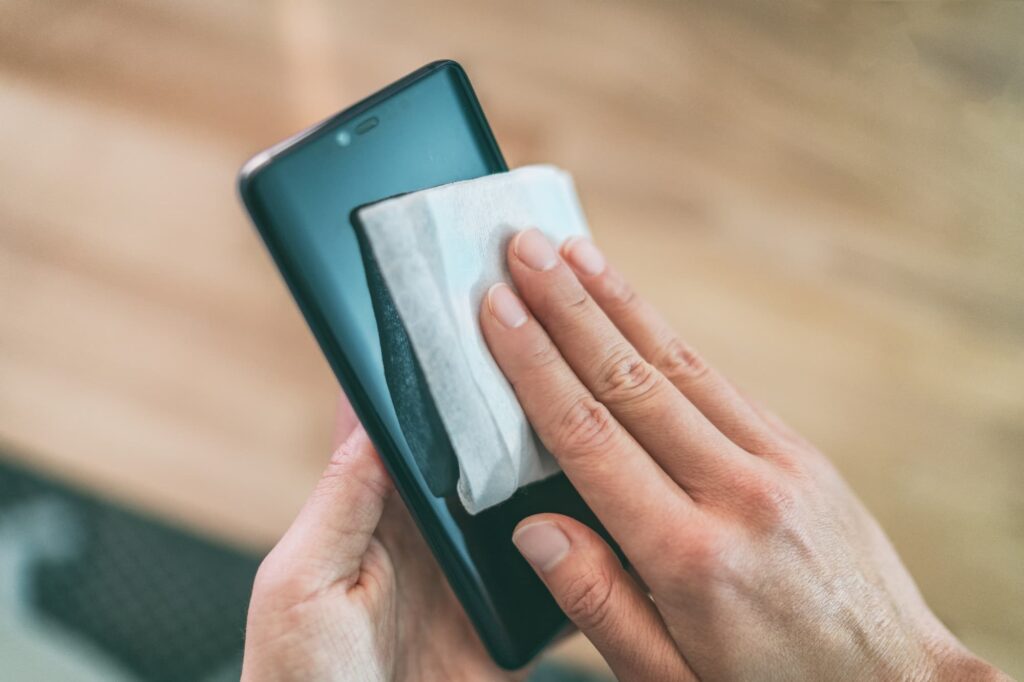
Use a soft, dry cloth to remove excess moisture from your wet phone. Ensure you dry off your ports, speakers, and camera lens.
Gently shake your phone
Hold your phone vertically and gently shake it to remove excess water from your USB port. However, don’t shake it too hard — vigorous shaking could further damage a wet smartphone.
Use compressed air to blow dry ports
Most home and office stores carry inexpensive aerosol cans of compressed air. It’s a good idea to have a can on hand in case of a phone emergency. Aim the compressed air at your ports to remove any trapped liquid.
Wait to turn your phone back on
After you’ve completed the initial steps to fix your wet phone, you may be compelled to turn it back on. However, you should wait for several hours before you attempt to use your phone.
If the phone has dried, the moisture detection alert will turn off, and your charger will work. If the moisture detector still appears on your homescreen, turn your phone off again and wait for 12 hours. If your phone still isn’t fixed, you may need to visit your
local phone retailer.
Head to your local phone retailer
Most phone retailers with brick and mortar locations employ tech specialists. If your phone hasn’t dried after you’ve followed the above steps, you may need to schedule a tech appointment.
Retailer employees can discern whether or not your phone is salvageable, and advise you on the next steps you should take.
How to protect your data on a wet phone
Typically, when you upgrade your phone, the data stored on your old model can be easily transferred to your new device. However, when your wet phone is beyond repair, you may lose the ability to access your personal and sensitive data stored on your smartphone.
Thus, it’s important to continually, and safely, backup your phone’s data to cloud storage. This will protect you from losing irreplaceable photos and messages, and can also help to protect your cybersecurity if your device is hacked or flooded with malware.
You may be able to fix a wet smartphone, but sometimes, water damage is unavoidable. Take the above steps to repair your phone, and ensure that you’ve protected your personal data before your phone gets wet.