This is a first-hand account of how a special device called Brick turns off distracting apps on a cell phone and gives users freedom from internet overload.
In the past couple of years, my husband and I have often thrown around the idea of going back to flip phones. Not for any trendy reasons, but simply because the amount of time we waste on our smart phones is mind-blowing.
Why do I have to check my email 25 times a day when I’m a stay-at-home mom who likely gets four (spam) emails a day? Who cares what that person I knew in high school, but never talk to anymore, ate for lunch today? What does this story about an escaped badger have to do with my life?
And yet, that’s exactly what we were doing…or what I (to be honest) was doing: Spending time, wasting time, always interacting with my phone.
A modern-day problem, but a problem, nonetheless.
We’re not alone: millions of Millennials and other age groups have the same modern-day problem. But it can’t be solved so fast.
As much as we wanted to ditch this new way of screen-obsessed life, the problem is that there are actually important things on our phones that we need access to—some work apps for my husband, maps, and cameras.
The world we live in relies on apps and even our phones, and we simply cannot escape it without facing some burdensome hurdles.
In my endless doom-scrolling (where I sit and waste hours looking at other peoples’ posts that really make no difference in my life) on Instagram and Facebook, I kept coming across advertisements for something called Brick. It promised freedom from my phone, and that sounded intriguing.
I know what you might be thinking: Aren’t there already screen-time settings you can set on smartphones that don’t require you to pay anything at all?
Sure, there are. I set them up on my phone last year and thought I was going to make some headway. Until my thumb started automatically going to the “Ignore for Today” option that is given to me whenever I’m prompted that my time limit is up. It is far too easy to bypass the settings that built into cell phones, and the addiction that these devices have created calls for something more.

The Brick ad.
The ads I saw for Brick showed examples of Brick-user’s screen-time usage going from 10+ hours a day down to 45 minutes. Was that possible?
And as much as I don’t want to be a sucker who falls for a social media ad, I asked my family for a Brick for Christmas and was glad to receive it from my in-laws, who understandably asked when I opened the box in front of them, “So what does that $50 square magnet do?”
Well, now I can tell them, and everybody.
What Brick does and how it works.
Brick is an application for your phone that blocks the apps that you (hopefully) want to and likely need freedom from. On the flip side, Brick allows you to use the apps that you need access to during the day.
So, exactly what is Brick?
Brick is a combined software and hardware app that helps temporarily “remove” distracting apps from your phone. It also removes any notifications that you’d get from those apps. While the software resides on your phone, the hardware component is a small, square magnetic brick. That’s what keeps the apps and notifications turned off. The Brick is “NFC-powered,” which stands for Near Field Communication. It controls your phone, but from a distance. So, if I forget I have Brick turned on and try to open of my blocked apps, I get a “this is a distraction” message, one I can’t override from my phone.
You get to choose on with Brick to either block or allow selected applications on your phone. Since there is a limit of 50 choices, I have found the “allow these apps” choice to work better for me, since I really don’t need to follow or do too much during the day. However, just selecting the good and bad apps isn’t the key.
Brick is on the job.
That’s where Brick’s 3D-printed hardware component comes in. To activate (or more importantly deactivate) the Brick app on your phone, you have to walk over to the 3D-printed Brick magnet, open the app, and hold your phone up to it. Once activated, the apps that you have set to be blocked are darkened on your phone and will yell at you (figuratively speaking) if you try to open them.
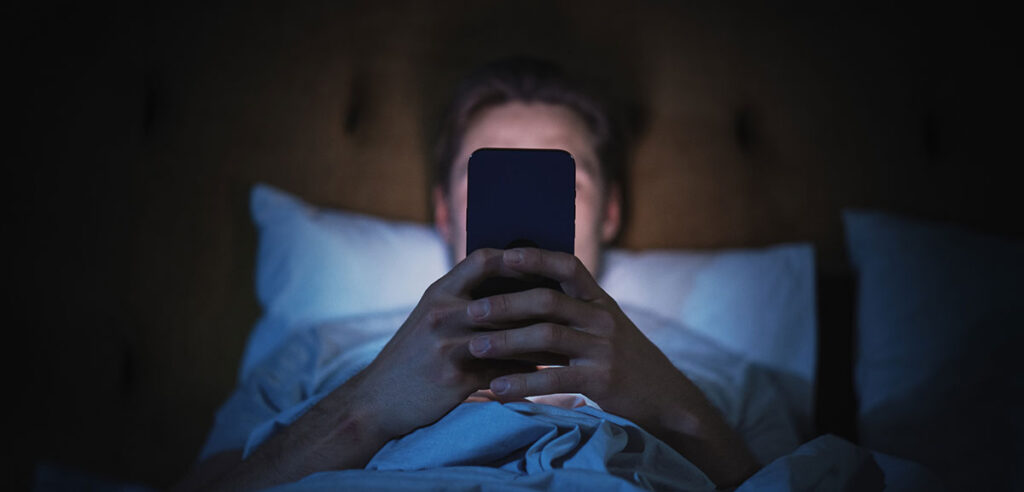
Here’s why I needed relief from my cellphone.
Here’s a real-life example and habit I’ve noticed about myself.
- I grab my phone and see there’s a text. I open it, read the text, and then as I swipe out of my messages app my thumb automatically moves to the Instagram app and opens it
- There’s not a conscious thought of, “I think now would be a good time to check what my friends and random people I’ve never met are posting.” It just happens.
- And then, 20 minutes later, I look up and realize a “Lord of the Flies” event is going down in the boys’ bedroom, and I feel the guilt of being a distracted mother!
Here’s the key to Brick’s and my success.
I stick the magnetic brick away from me, in another room and inconveniently out of reach.
Voilà! I quickly find that the stuff I tend to gravitate towards on my phone that wastes my time doesn’t mean enough to me to get up off the couch and go into a different room to unbrick my phone.
Brick to the rescue.
Thanks to Brick, when my fingers move over to Instagram to open the app, I get a screen message that reminds me THIS IS A DISTRACTION.
“Oh yeah,” I think. “I didn’t even mean to open that. And I’m certainly not going to walk into the kitchen to unbrick my phone just to look at random crap anymore. Back to business.” J
Just in the few weeks after I received Brick, I have found myself so thankful for the days that I have my phone “Bricked” all day. Specifically, I realize:
- I am more present with my two young boys who need mommy’s attention.
- I have more time to take care of the things I actually want to accomplish during the day.
- Plus, best of all, I still have full access to the things on my smartphone that I truly do need to make it a productive day.
Brick takes a weight off my shoulders.
By the end of a day with Brick on the job and on my case, I can enjoy the things I want to enjoy,
and that has felt like freedom…as advertised.
It seems strange to pay $50 to turn a $1000 phone back into something like those old Nokia flip phones, but I am a convert. Brick doesn’t weigh you down like your cell phone does; it frees you up. If you are tired of being a slave to your phone and are desperate for freedom, Brick may just be for you like it is for me.
You can ignore my first-hand advice, but just don’t blame me when you pull out your phone to look up Brick and get distracted by videos of cats instead.